

Canonical
10 May 2010
So long already? Nah! :)
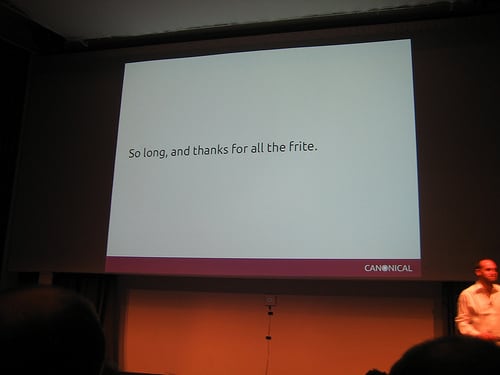
Today saw the start of the Ubuntu Developer Summit for our next release Maverick Meerkat.
This sentiment on the final slide of Mark’s presentation will hopefully be the way that we bid a fond farewell to at the end of this insane week and I may well be motivated to blog about the craziness that is UDS then when the sessions are over and we’ve all had a celebratory frite or two.
So how to follow the excitement of Mark’s keynote Unity and other design announcements? I sat in on a number of sessions today focused on conversations about management and process. The Ubuntu development community use Launchpad blueprints to organise the work on projects – this is even how we organise the sessions at UDS!
For example, this is a list of all the blueprints that have been registered as part of this summit. But how do we manage this process and to what end I hear you cry!
Step 1: You have a wizard idea for a session at UDS which you hope will become a project. You bash away at launchpad and create your blueprint and submit it.
Step 2: The track leads review your submission and approve it or not to be included. If your session is accepted then it gets scheduled for inclusion in UDS and appears on the schedule on summit.ubuntu.com. This was today’s schedule. The topics are divided into tracks and we have one for:
So you got your blueprint accepted, what then?
Step 3: Attend UDS and have your session! In reality a project doesn’t _have_ to have been a session at UDS to be accepted but for the purpose of working at the start of the cycle this is how it goes. The aim of the UDS sessions is to come up with actions and a plan for starting- and in some cases completing – your project. This example is from a community project planning session which aimed to look at the way that the community team use this approach to manage their projects and inspired this very post – you can thank Jono later 
You can see from that page that actions have been assigned to people in the whiteboard and have a status of TODO. This will change to IN PROGRESS when they are, you guessed it, in progress. Can you guess what we put after the colon when they’re done?
We can use this to keep a track of a project throughout it’s life. It’s a simple process but this is the great bit. You enter your actions, the blueprint is associated with a milestone, in this case the release of Maverick in October, and a lovely burndown and project statuses can be magically produced like this archived one here.
As well as the great reporting this will offer you and your fellow team members it also means that we in the design team can share openly how we’re doing with projects we’ve taken on for the Maverick cycle and, more importantly, this sort of data could help feed a dashboard! WIN!
If you want to know more about planning your projects using blueprints leave comments or as previously blogged catch the team in IRC and we’ll be happy to help.


