1. Blog
  2. Article

Canonical
on 31 January 2012


We first posted a blog back in December about our work on the multi-monitor experience for Ubuntu. Back then we published the first revision of the Multiple Monitors UX Specification, and got some great feedback. We have taken comments, corrections and suggestions on board, and have come up with an updated multi-monitor specification. The specification can be found here:
 
https://docs.google.com/a/canonical.com/document/d/1aHvJ-iIw-59bXTYBmIhQqEx0za2h9jpFE_RhZ2VOvJc/edit?hl=en_US
 

There are several improvements to the specification (including more elegant discoverability of the Greeter login across displays, improved placement of windows upon removal of a display and a more feasible solution for providing missing resolutions in the Display Preferences panel).
The document has also been restructured in places, with new and extended sections, specifying in further detail how elements such as the Guest Session, Launcher, Spread and mouse cursor should work in a multi-monitor setup.

We have also created a prototype to explore how the Greeter works across multiple displays.
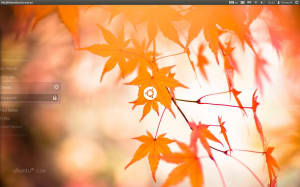
Multi-Monitor Greeter Prototype

You can check out the prototype by downloading it from here: http://ubuntuone.com/6MHk2xkW5L3Bl9pGsj10z4

Unzip the package and double-click the executable in the folder. You will need more than one display to check this prototype out. As you move your cursor across displays, the Greeter will follow the cursor, allowing you to easily log in on any display. The Greeter itself is not interactive, we are just exploring how it moves between displays. There are also a few keyboard controls to try out:
 

Press Escape to exit the prototype.

Press Space to check out the prototype against a number of different desktop backgrounds (will cycle through the images in /usr/share/backgrounds)

Hold down Alt to show numbers on each display. Still holding down Alt, you can then tap a number to move the Greeter across to that numbered display, allowing you to change the display you log in with, without using the mouse. In the final implementation, the Super key will be used rather than the Alt key, but I can’t bind to that keyboard shortcut in my prototype.

Please let us know your thoughts on the updated specification and the new Greeter prototype.

Related posts


Canonical
23 March 2026

Canonical joins the Rust Foundation as a Gold Member

Canonical announcements Article

Canonical’s Gold-level investment in the Rust Foundation supports the long-term health of the Rust programming language and highlights its growing role in building resilient systems on Ubuntu and beyond. AMSTERDAM, THE NETHERLANDS — March 23, 2026 (Open Source SecurityCon, KubeCon Europe 2026) — Today Canonical announced that it has joine ...


Canonical
20 March 2026

Canonical partners with Snyk for scanning chiseled Ubuntu containers

Canonical announcements Article

Canonical, the publisher of Ubuntu, is pleased to announce a new partnership with developer-focused cybersecurity company Snyk. Snyk Container, Snyk’s container security solution, now offers native support for scanning chiseled Ubuntu containers. This partnership will create a path to a more secure container ecosystem, where developers wi ...


Canonical
16 March 2026

Canonical announces it will distribute NVIDIA DOCA-OFED in Ubuntu

AI Article

Today Canonical, the publishers of Ubuntu, announced that it will integrate and distribute the NVIDIA DOCA-OFED networking driver with Ubuntu. ...